



What Is HTTP and How Is It Different from HTTPS?
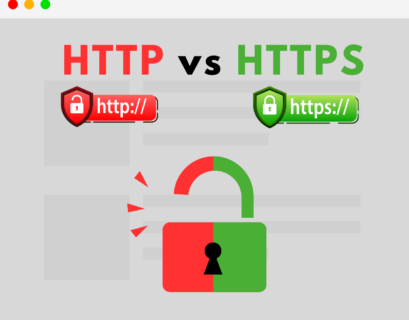
What Is HTTP and How Is It Different from HTTPS?
Every time you open a website, your browser and the server exchange messages according to a set of rules. Those rules are called the HTTP protocol. The "S" in HTTPS looks like a small detail, but it marks the line between plain text and a secure connection. Let's look at how it all works.
What Is HTTP
HTTP (HyperText Transfer Protocol) defines how a client (usually a browser) requests data from a server and how the server responds. The protocol appeared in the early 1990s together with the World Wide Web. Tim Berners-Lee created it to transfer HTML pages.
HTTP works on a request–response model. The browser sends a request, for example "give me the /about page". The server sends back a response: a status code, headers and a body, which is the page itself, an image or JSON.
A minimal request looks like this:
GET /about HTTP/1.1
Host: example.com
User-Agent: Mozilla/5.0
And the response looks like this:
HTTP/1.1 200 OK
Content-Type: text/html; charset=utf-8

<html>...</html>
HTTP Methods
The method tells the server what the client wants to do. The main methods are:
GETretrieves data;POSTsends data, such as a form;PUTandPATCHupdate a resource;DELETEremoves it.
Status Codes
The first digit of the code tells you right away how the request ended:
- 2xx: success (200 OK);
- 3xx: redirection (301, 302);
- 4xx: client error (404 Not Found, 403 Forbidden);
- 5xx: server error (500, 502 Bad Gateway).
HTTP Is Stateless
Each request is handled independently, and the server on its own does not "remember" that you visited a second ago. That is why logins and shopping carts rely on cookies, sessions and tokens.
Protocol Versions
HTTP/1.1 was the standard for many years. HTTP/2 added the ability to send many requests in parallel over a single connection. HTTP/3 runs on top of QUIC (built on UDP) instead of TCP and sets up connections faster, especially on mobile networks.
The Main Problem with HTTP
Plain HTTP sends everything as plain text. Anyone sitting between you and the server can see the contents of requests and responses: logins, passwords, card numbers, messages. That could be the owner of a public Wi-Fi hotspot in a café, your internet provider, or an attacker on the same network. Worse, they can quietly alter the data, for example by injecting ads or a malicious script into the page.
What Is HTTPS
HTTPS (HTTP Secure) is the same HTTP, but carried over an encrypted TLS channel. Methods, headers and status codes stay the same. Only the "pipe" the data travels through changes.
TLS solves three problems at once.
Confidentiality. Data is encrypted, so an eavesdropper sees only a meaningless stream of bytes.
Integrity. If someone modifies the data in transit, the recipient will detect it.
Authentication. The server presents a certificate signed by a trusted certificate authority (CA). This lets the browser confirm it is really talking to example.com and not to a fake site.
How a Secure Connection Is Established
Before exchanging data, the client and server perform a TLS handshake. The browser lists the encryption algorithms it supports. The server replies with its chosen set and sends its certificate. The browser verifies the certificate against the chain of trust. Then both sides use asymmetric cryptography to agree on a shared secret key. All further traffic is encrypted symmetrically with that key, which is fast. In TLS 1.3 the handshake takes just one round trip.
HTTP vs HTTPS: Comparison
HTTP HTTPS Encryption No Yes (TLS) Default port 80 443 Server authentication No Yes, via certificate Protection against tampering No Yes How browsers show it "Not secure" Padlock icon SEO impact Negative Positive (Google ranking signal) HTTP/2 and HTTP/3 support in browsers No YesMyths About HTTPS
"HTTPS is slower." Encryption once put a noticeable load on servers. Today processors handle encryption in hardware, and TLS 1.3 shortened the handshake. Most importantly, browsers support the faster HTTP/2 and HTTP/3 only over HTTPS, so in practice a secure site often loads faster.
"Certificates are expensive." The free certificate authority Let's Encrypt issues certificates automatically, and the Certbot tool renews them for you.
"HTTPS means the site is safe." The padlock only guarantees a secure channel and that the domain is genuine. A phishing site can have a valid certificate too, so always check the address carefully.
How to Move Your Site to HTTPS
On a typical Nginx server it takes three steps. First, get a certificate, for example with Certbot:
sudo certbot --nginx -d example.com -d www.example.comNext, redirect all HTTP traffic to HTTPS:
server {
    listen 80;
    server_name example.com www.example.com;
    return 301 https://$host$request_uri;
}
Finally, enable HSTS. This header tells browsers to always connect to your site over HTTPS only.
add_header Strict-Transport-Security "max-age=31536000; includeSubDomains" always;Conclusion
HTTP is the language browsers and servers speak to each other. HTTPS is the same language, but the conversation happens in a secure room where no one can eavesdrop or slip in a forged note. In 2026 HTTPS is the standard: browsers mark sites without it as insecure, search engines rank them lower, and a certificate takes a couple of minutes to get for free. If your site still runs on plain HTTP, now is the time to fix that.
Back